
Download BRYTER Extract – AI‑Powered Contract Review Tool, Secure & Free
Introduction – The Growing Need for Automated Contract Review
Legal departments worldwide are grappling with an ever‑increasing volume of contracts, amendments, and addenda. Traditional manual review not only consumes precious attorney hours but also introduces a high risk of missed clauses, inaccurate deadline calculations, and compliance gaps. In an environment where speed, accuracy, and data security are non‑negotiable, the market has turned to artificial intelligence to automate repetitive tasks while preserving the nuanced judgment that only a seasoned lawyer can provide.
This shift has given rise to a new generation of AI‑driven platforms that can read, understand, and extract critical information from any legal document, regardless of format or complexity. Among these innovators, BRYTER Extract stands out as a purpose‑built solution for post‑signature contract analysis. By leveraging natural‑language processing, machine‑learning models, and a cloud‑first architecture, the tool promises to turn hours of manual extraction into a matter of minutes.
In this review we will explore how BRYTER Extract addresses the most common pain points—such as missed renewal dates, hidden indemnity limits, and inconsistent clause language—while offering a secure, compliant, and scalable environment that integrates seamlessly with existing legal tech stacks. Whether you are part of a boutique law firm, an in‑house counsel team, or a multinational corporation, understanding the capabilities, installation process, and real‑world performance of BRYTER Extract is essential before committing to a new contract‑review workflow.
Overview – Why BRYTER Extract Is a Game‑Changer for Legal Teams
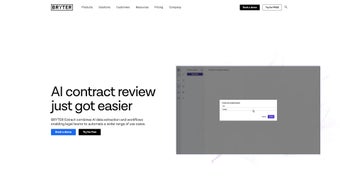
BRYTER Extract is an advanced AI‑driven software application built specifically for law firms, in‑house counsel, and corporate legal departments that need to streamline post‑signature contract review. By harnessing natural‑language processing and machine‑learning models, the tool can locate, pull, and organize key clauses, dates, and monetary figures from any contract type—whether it’s a SaaS agreement, a merger‑and‑acquisition term sheet, or a simple NDA. Users define queries in plain language (e.g., “show all termination clauses with notice periods”) and the engine instantly returns a clean, searchable table that links each extracted data point back to its source clause. This eliminates the manual copy‑and‑paste routine that typically eats up dozens of hours each month.
The platform goes beyond extraction. Built‑in workflow automation lets teams calculate deadlines, generate compliance reports, and route approvals without leaving the interface. Export options include Excel, CSV, or direct API feeds into document‑generation tools, meaning the data can feed downstream processes such as renewal reminders or risk‑scoring dashboards. Pre‑configured extract agents cover common contract categories, while a document‑verification step ensures that the AI’s output is accurate before it reaches decision‑makers.
Security and compliance are baked into the architecture. All data is encrypted at rest and in transit, audit logs capture every extraction event, and the system is fully GDPR‑compliant. Organizations can elect to store documents in EU‑based data centers, and role‑based access control guarantees that only authorized personnel view sensitive clauses. The cloud‑native design also means continuous AI model updates, ensuring that extraction accuracy improves over time without requiring manual patches.
Overall, BRYTER Extract offers a secure, cloud‑based environment that respects confidentiality, complies with GDPR, and provides audit logs for every extraction event. For legal professionals looking to reduce review time, cut errors, and improve overall productivity, this tool represents a modern, scalable solution that fits neatly into existing tech stacks.
Features, Installation & Usage – Getting Started Quickly
- AI‑powered clause detection with natural‑language query support.
- Dynamic tables that link extracted data back to original document sections.
- Pre‑built extract agents for NDAs, SaaS contracts, procurement agreements, and more.
- Automated deadline calculation and renewal alerts.
- One‑click export to Excel, CSV, or API endpoints.
- Document verification workflow to ensure data accuracy.
- Role‑based access control and end‑to‑end encryption.
- Integration with popular DMS platforms (SharePoint, iManage, NetDocuments).
- Customizable reporting dashboard for compliance monitoring.
- Continuous AI model updates to improve extraction accuracy.
Step‑by‑Step Installation
BRYTER Extract is delivered as a SaaS solution, so there is no heavy client‑side installation. To begin, visit the official download page, register with a corporate email, and you will receive a secure activation link. After clicking the link, you are guided through a short onboarding wizard that asks for:
- Company name and primary domain (used for single‑sign‑on configuration).
- Preferred authentication method (SAML, OAuth, or native credentials).
- Initial storage location – either the BRYTER cloud or a private Azure Blob container.
Once the wizard completes, the platform is ready to use on any modern browser. For teams that require a desktop‑style experience, a lightweight Electron wrapper is available for Windows 10/11 and macOS 12+. The wrapper simply points to the same web URL, providing offline caching of recent contracts while keeping the core AI processing in the cloud.
How to Use the Tool Effectively
After logging in, upload a contract in PDF, DOCX, or scanned image format. The AI automatically runs a pre‑flight check, flags unreadable sections, and suggests OCR correction if needed. Next, open the “Extract” tab and type a natural‑language query such as “list all indemnification clauses with monetary limits.” The system returns a sortable table, each row containing the clause text, page number, and a hyperlink back to the original document view. Users can then select rows to generate a custom report, set up automated alerts for upcoming renewal dates, or push the data into a downstream workflow via the built‑in API.
Because the platform continuously learns from user feedback, you can flag any mis‑extracted item, and the AI model will improve over time. Training sessions and a knowledge base are available within the app, ensuring that even non‑technical staff can become proficient quickly. Advanced users can also create custom extract agents by defining pattern‑based rules or uploading sample contracts, which the system then uses to fine‑tune its extraction logic.
Compatible with Windows 10/11, macOS 12+, and any device with a modern web browser (Chrome, Edge, Firefox, Safari). Mobile access is supported through responsive design on iOS and Android tablets, though full editing features are best experienced on a desktop.
Pros, Cons & Frequently Asked Questions
Pros
- Significant time savings – most contracts are processed in minutes instead of hours.
- High accuracy due to continuous AI model updates and human‑in‑the‑loop verification.
- Seamless integration with existing document management systems.
- Robust security features, including encryption at rest and in transit.
- Scalable pricing model suitable for small firms and large enterprises.
- Intuitive natural‑language query interface reduces the learning curve for non‑technical users.
- Comprehensive audit logs support compliance and regulatory reporting.
Cons
- Initial learning curve for advanced query syntax.
- Requires reliable internet connection for cloud processing.
- Custom extract agents may need extra configuration for highly specialized contracts.
- OCR accuracy depends on the quality of the scanned source document.
- Limited language support beyond the four major European languages at launch.
FAQ – Answers from the BRYTER Extract Team
Is BRYTER Extract compliant with GDPR and other data‑privacy regulations?
Yes. All data is encrypted both at rest and in transit, and the platform provides detailed audit logs. Customers can choose to store documents in EU‑based data centers to meet regional compliance requirements.
Can I try BRYTER Extract before committing to a subscription?
A 14‑day free trial is available without requiring a credit card. The trial includes full access to all extraction agents and workflow features.
How does the AI handle scanned contracts that need OCR?
The platform integrates a built‑in OCR engine. During upload, it automatically detects scanned pages, runs OCR, and then proceeds with extraction. Users can review OCR confidence scores and correct any misread text before extraction begins.
What integration options are available for existing legal tech stacks?
BRYTER Extract offers RESTful APIs, webhooks, and pre‑built connectors for SharePoint, iManage, NetDocuments, and popular contract‑management platforms like Conga and Ironclad.
Is there support for multiple languages?
Currently, the AI model supports English, German, French, and Spanish. Additional language packs are being added based on customer demand.
How does BRYTER Extract ensure data privacy when using cloud storage?
All documents are encrypted with AES‑256 before they leave the client’s device. The encryption keys are managed by a dedicated Key Management Service (KMS) that complies with ISO 27001 standards, ensuring that only authorized users can decrypt and view the data.
BRYTER Extract dramatically reduces the manual effort required for post‑signature contract analysis while maintaining a high level of data accuracy. Its intuitive query interface and seamless integration capabilities make it a top choice for modern legal departments.
Conclusion – Start Automating Your Contract Review Today
In a world where legal teams are pressured to move faster without sacrificing accuracy, BRYTER Extract delivers a secure, AI‑powered solution that transforms contract review from a tedious chore into a streamlined, data‑rich process. The combination of natural‑language queries, automated deadline calculations, and robust export options ensures that every extracted clause can be turned into actionable insight. While a short learning curve exists for power users, the intuitive interface and comprehensive onboarding resources make it accessible to all members of a legal department.
For firms seeking a free, secure download that integrates with existing document‑management systems and scales as the organization grows, BRYTER Extract stands out as a best‑in‑class tool. Take advantage of the 14‑day trial, experience the time savings first‑hand, and join the growing community of legal professionals who have already upgraded their contract workflows.
Ready to accelerate your contract review? Download BRYTER Extract now and start turning contracts into actionable data today.



.png)



